
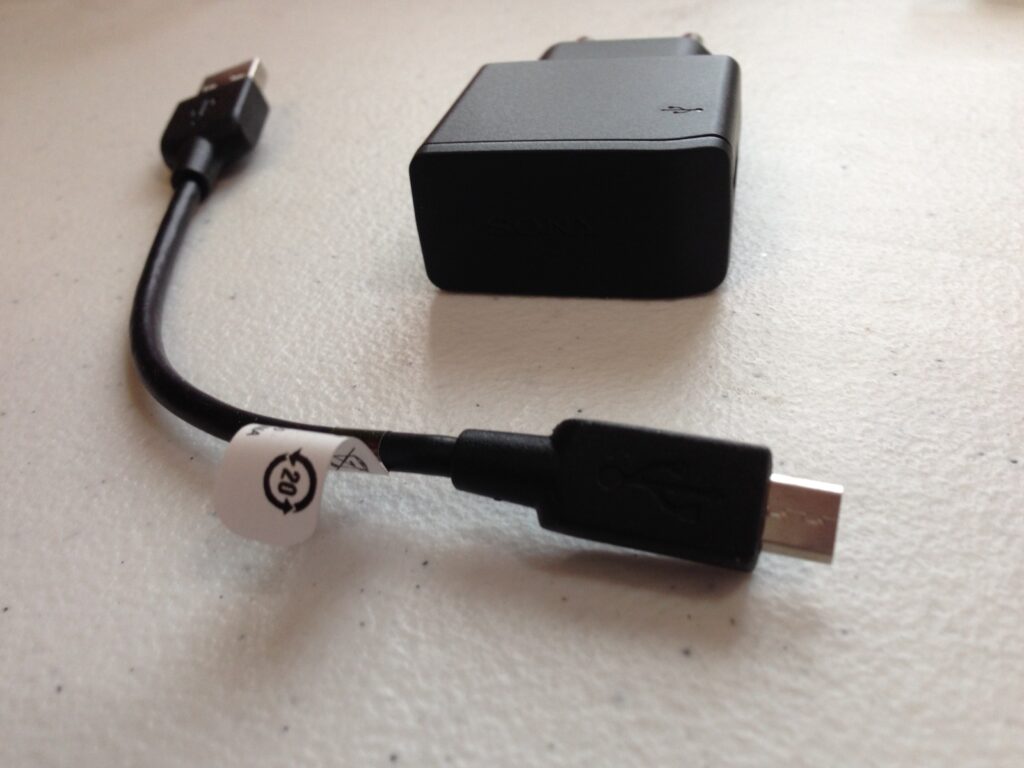
Two questions hit every Costa Rica traveler within the first hour of landing: will my charger work in this wall? and how do I get on the internet? Both have simple answers — but a few quirks around voltage, surge protection during rainy season, and which SIM card actually has signal where you’re going can trip up even seasoned travelers. This guide covers the whole arrival-day setup in one place, with current 2026 prices, country-by-country adapter guidance, and the practical fine print most travel sites skip.
Arrival Day Logistics
You step off the plane at SJO, your phone is at 14%, and you have no idea whether the charger in your bag is going to fit the wall, blow up your hair dryer, or work just fine. The good news: for most travelers, Costa Rica is one of the easiest countries on the planet to plug in and stay connected. The slightly tricky news: a few details — voltage on hair tools, surge protection during rainy season, and which SIM card to buy — make the difference between a smooth arrival and a frustrating first afternoon.
- Outlets: Type A and Type B, 120V / 60Hz — same as the United States.
- Adapter needed? No, if you’re coming from the US, Canada, or Mexico. Yes, if you’re coming from Europe, the UK, Australia, or anywhere on a 220–240V system.
- Best SIM for tourists: An eSIM purchased before you fly for short trips; a Kolbi physical SIM for longer stays or rural travel.
- Surge protection: Worth it during rainy season (May–November) — power blips and lightning are real.
Power Outlets in Costa Rica
Costa Rica uses the same wall outlets as the United States, Canada, and most of Central America. If you’ve ever plugged a phone into a hotel wall in Miami or Mexico City, the experience here is identical.
Type A is the ungrounded two-prong outlet — two flat parallel blades, no third hole. Type B is the grounded version with a third round pin. Type A plugs fit into Type B outlets, but the reverse isn’t true. Older buildings and budget hotels often only have Type A; newer construction and anywhere a hair dryer or microwave lives will usually have Type B.
Both standards are governed by NEMA, the same specification used across North America, and Costa Rica’s grid is built and maintained by the Instituto Costarricense de Electricidad (ICE), which has aligned the country’s electrical infrastructure with US standards for decades.
Type A and B outlets aren’t recessed and the prongs aren’t insulated, so a partially pulled-out plug can leave live metal exposed. Don’t reach behind a half-plugged charger to feel for the wall — push it fully in or pull it fully out. This matters more in older buildings where outlets can be loose.
Do You Need a Plug Adapter for Costa Rica?
It depends entirely on where you’re flying from. Here’s the country-by-country answer:
| Coming From | Adapter Needed? | Notes |
|---|---|---|
| United States, Canada, Mexico | No | Same Type A/B outlets, same 120V. Plug in and go. |
| Most of Central America & Caribbean | No | Most countries in the region use Type A/B, although Cuba and Bermuda differ. |
| UK & Ireland | Yes | Type G (three rectangular prongs) won’t fit. Bring a UK-to-US adapter. |
| Continental Europe | Yes | Type C, E, or F won’t fit. Universal adapters with a US setting work fine. |
| Australia & New Zealand | Yes | Type I plugs are completely incompatible — adapter required. |
| Brazil, Argentina, Chile | Yes | Different plug types — adapter needed even though some share 110–127V. |
| Japan | No* | Plugs fit, but voltage differs slightly (100V vs 120V). Most modern devices handle this fine. |
If you’re buying an adapter, skip the cheap single-purpose ones at the airport and get a universal travel adapter — they’re not much more expensive and they cover you for any future trip. A model with built-in surge protection and a USB-C port is worth the extra few dollars.
Voltage Differences and When You Need a Converter
This is where travelers from outside North America have to pay closer attention. A plug adapter changes the shape of your plug; it does not change the voltage. If you bring a single-voltage 220V hair dryer from London and connect it through an adapter, it will run at half power, work poorly, or overheat — none of which you want.
The fix is simple: read the small print on your charger or device. You’re looking for a line that says Input followed by a voltage range:
120V only → Built for North America, perfect
220–240V only → Single voltage, converter required
Almost every phone charger, laptop power brick, camera charger, electric toothbrush, and tablet adapter made in the last fifteen years is dual-voltage. Hair tools and small kitchen appliances are the usual exceptions — they’re often single-voltage because the heating element is calibrated to one specific supply.
If your hair dryer or curling iron isn’t dual voltage, leave it home. Cheap dual-voltage travel hair dryers are easy to find online for under $25, and they’re far smaller than the converter you’d otherwise need to lug around. Most mid-range and luxury hotels in Costa Rica also provide hair dryers in the room.
Common Devices Travelers Bring
A quick reality check on what you can plug in safely:
- iPhone, Android, iPad, Kindle
- All dual-voltage by default
- Just need the right plug shape
- MacBook, Dell, HP, Lenovo
- Power bricks are dual-voltage
- Check label to be sure
- Often single-voltage outside US
- Dryers, straighteners, curlers
- Bring travel-rated only
- All major brands work
- Bring spare batteries
- Humidity is the bigger threat
- Most modern units are universal
- Older models may be single-V
- Bring a backup adapter
- Charge from any USB source
- Useful for jungle excursions
- Under 100Wh for carry-on
Surge Protection and Power Stability
Costa Rica’s grid is one of the most reliable in Central America — and unusually green, with nearly 100% of the country’s electricity generated from renewable sources, mostly hydroelectric. But “reliable” doesn’t mean “perfect.” Two things are worth knowing.
Brief blips happen. Power can flicker for a fraction of a second on a clear afternoon, especially in coastal areas and the Central Valley. These rarely interrupt anything important, but they’re enough to reset a router or trip a sensitive electronic device.
Rainy season storms are no joke. From May through November, lightning is part of the daily forecast in many regions. Storms can cause genuine outages lasting from a few seconds to a few hours, and the bigger risk to electronics often comes when power returns and a surge ripples through the grid. ICE has also occasionally implemented scheduled rolling outages during severe drought years when reservoir levels drop, though these are rare and announced in advance.
If you’re working from Costa Rica for more than a week or two, plug your laptop into a small surge protector — not directly into the wall. A flat travel surge strip with a few outlets and USB ports costs around $20 and protects everything you care about. For longer stays, consider a small UPS (uninterruptible power supply) so a 10-second blip doesn’t kill your video call. No surge protector will save your gear from a direct lightning strike, so unplug expensive electronics during severe storms.
SIM Cards in Costa Rica: Local Carriers and Options
Costa Rica has three major mobile carriers, regulated by the national telecommunications authority SUTEL. They’re not equal — your choice depends almost entirely on where you’ll spend your time.
- Widest national coverage
- Best for rural areas & parks
- Strong on Caribbean coast
- 4G/LTE everywhere, limited 5G
- Strong in cities & tourist hubs
- Decent 5G in San José
- Affordable monthly bundles
- Weaker in remote zones
- Fastest growing 5G network
- Airport kiosks at SJO
- Cheap short-duration plans
- Patchy in deep rural areas
The honest summary: if you’re heading to Manuel Antonio, Arenal, Monteverde, Tamarindo, or anywhere on the well-trodden tourist circuit, all three carriers will work fine. If you’re going to the Osa Peninsula, Corcovado, the Caribbean south of Puerto Viejo, or any small town in the cloud forest, Kolbi is the only network you can rely on.
eSIM vs Physical SIM: Pros and Cons for Travelers
This is the biggest decision and it depends on your trip length and how much patience you have on arrival day.
eSIM (Recommended for most)
- Set up at home before you fly
- Connected the moment you land
- No store visit, no passport check
- Keep your home number active
- Phone must be eSIM-compatible
- No local +506 number
- More expensive per GB on long trips
Physical SIM
- Cheapest option for stays over a week
- Local +506 number for tour bookings
- Works on any unlocked phone
- Easy to top up in any town
- Need passport for registration
- Eats up arrival-day time
- Replaces your home SIM unless you have dual-SIM phone
For a one-week beach trip, an eSIM is almost always the right call — you’ll spend $8–$15, skip the airport queue, and have data working before you’ve collected your bags. For two weeks or more, or for any trip where you’ll be calling restaurants, dive shops, and tour operators, a physical Kolbi SIM gives you more data per dollar plus a real local number.
Where to Buy SIM Cards: Airport vs Stores
At Juan Santamaría (SJO)
The airport situation has shifted. The dedicated carrier kiosks that used to camp out at baggage claim have been mostly replaced by SIM card vending machines in Terminal A and the rental car lobby — they work, but self-activation can be confusing if you don’t read Spanish. A Claro desk sometimes operates near baggage claim, but hours are unpredictable. If you have any flexibility, skip the airport and head 5 minutes up the road to City Mall in Alajuela, where Kolbi, Claro, and Liberty all have proper storefronts with English-speaking staff.
At Liberia (LIR)
Better airport setup. Carrier kiosks for all three networks are usually available in the arrivals area. If they’re closed or busy, downtown Liberia is 10–15 minutes away and has full Kolbi, Claro, and Liberty stores.
In Town
Every major shopping mall has at least one carrier store. Multiplaza Escazú in San José has all three within a few minutes’ walk. Tourist towns like Tamarindo, Jacó, La Fortuna, and Manuel Antonio all have phone shops that sell prepaid SIMs and handle the activation in front of you.
Costa Rican law requires every prepaid SIM to be registered to a passport via SUTEL. The process takes about five minutes, and you can register up to five SIMs per passport. Skip the side-of-the-road street vendors offering pre-activated SIMs — they’re usually overpriced and sometimes registered to someone else’s name.
Typical Costs and Data Expectations
Here’s what you’ll actually pay in 2026 (approximate, USD equivalent of current colón pricing):
| Option | Data & Duration | Price (USD) |
|---|---|---|
| Claro Prepaid Bundle | 1 GB + social media, 7 days | ~$4 |
| Claro Prepaid Bundle | 3 GB + social media, 15 days | ~$9 |
| Liberty Plan Libre | 4–5 GB + minutes, 30 days | ~$12 |
| Kolbi SIM Turista | 5 GB + 100 min + 30 SMS, 30 days | ~$24 |
| Tourist eSIM (1 GB) | 1 GB, 4–7 days | $4–$8 |
| Tourist eSIM (5 GB) | 5 GB, 15 days | $12–$18 |
| Tourist eSIM (Unlimited) | Unlimited, 7 days | $25–$35 |
How much data do you actually need? A casual traveler using maps, WhatsApp, and the occasional Instagram post burns through about 1–2 GB per week if they’re on hotel WiFi most of the night. Heavy users — streaming Spotify on long drives, video-calling home, uploading photos to the cloud — should plan on 5–10 GB. Work-from-Costa-Rica nomads should size up to 15 GB or unlimited.
Quick Setup Tips for Staying Connected Immediately
The fastest path from plane to working data, in order:
Step 1 Before you fly: Buy an eSIM the day before departure. Don’t activate it yet — most providers start the validity window the moment you install, not when you arrive.
Step 2 On the plane: Install the eSIM during the descent. Toggle airplane mode, add the eSIM in your settings, label it, and keep it disabled for now.
Step 3 On the ground: Once you’re past immigration, turn airplane mode off, switch your data line to the new eSIM, and you should connect within a minute. Open Google Maps and confirm it loads.
Step 4 Backup plan: If the eSIM doesn’t connect (rare, but possible — usually a network selection issue), manually pick a different carrier in your phone’s settings: Kolbi (ICE), Liberty, or Claro. One of them will work.
Step 5 For physical SIM seekers: If you’d rather buy a physical card, skip SJO airport during peak arrival hours, grab an Uber or your rental car, and head to City Mall in Alajuela. You’ll be in and out in fifteen minutes with a local +506 number and more data for less money.
Free WiFi is widely available in Costa Rica — most hotels, restaurants, cafés, and even gas stations have it. So even if your SIM situation hits a snag, you’re rarely truly disconnected for long. Just don’t bank or shop on public WiFi without a VPN.
Power and connectivity are the two least glamorous parts of trip planning, but they’re the difference between an arrival day that flows and one that frustrates. Costa Rica makes both unusually easy: bring the right adapter (or none), carry a small surge strip if you’re staying long, and have an eSIM ready to go before you board the plane. Everything else — the volcano hikes, the howler monkeys waking you up at dawn, the gallo pinto for breakfast — takes care of itself.